

Page Builder
No-code page building tool to accelerate application deployment at Blue Yonder.
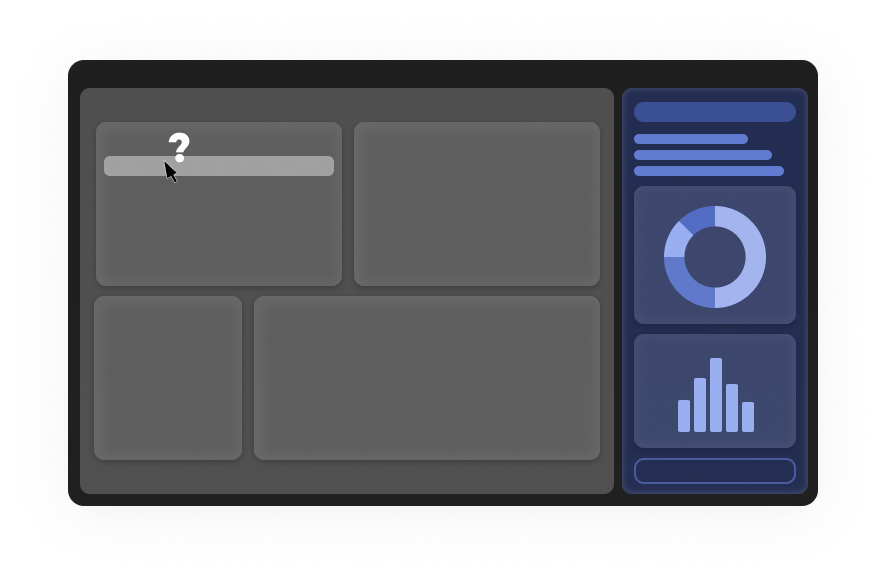
Page Builder started as a heritage tool with a narrow purpose — letting users design personalized dashboard homepages. Over time, offering teams across Blue Yonder discovered its pro-code capabilities and started using it to build far more than dashboards. What began as a niche utility quietly became a dependency for how internal teams shipped pages.
The transformation was about catching up to that reality: rebranding it as a proper platform, scaling it to serve 15+ application teams, and evolving it fast enough to not become a bottleneck.
About the tool
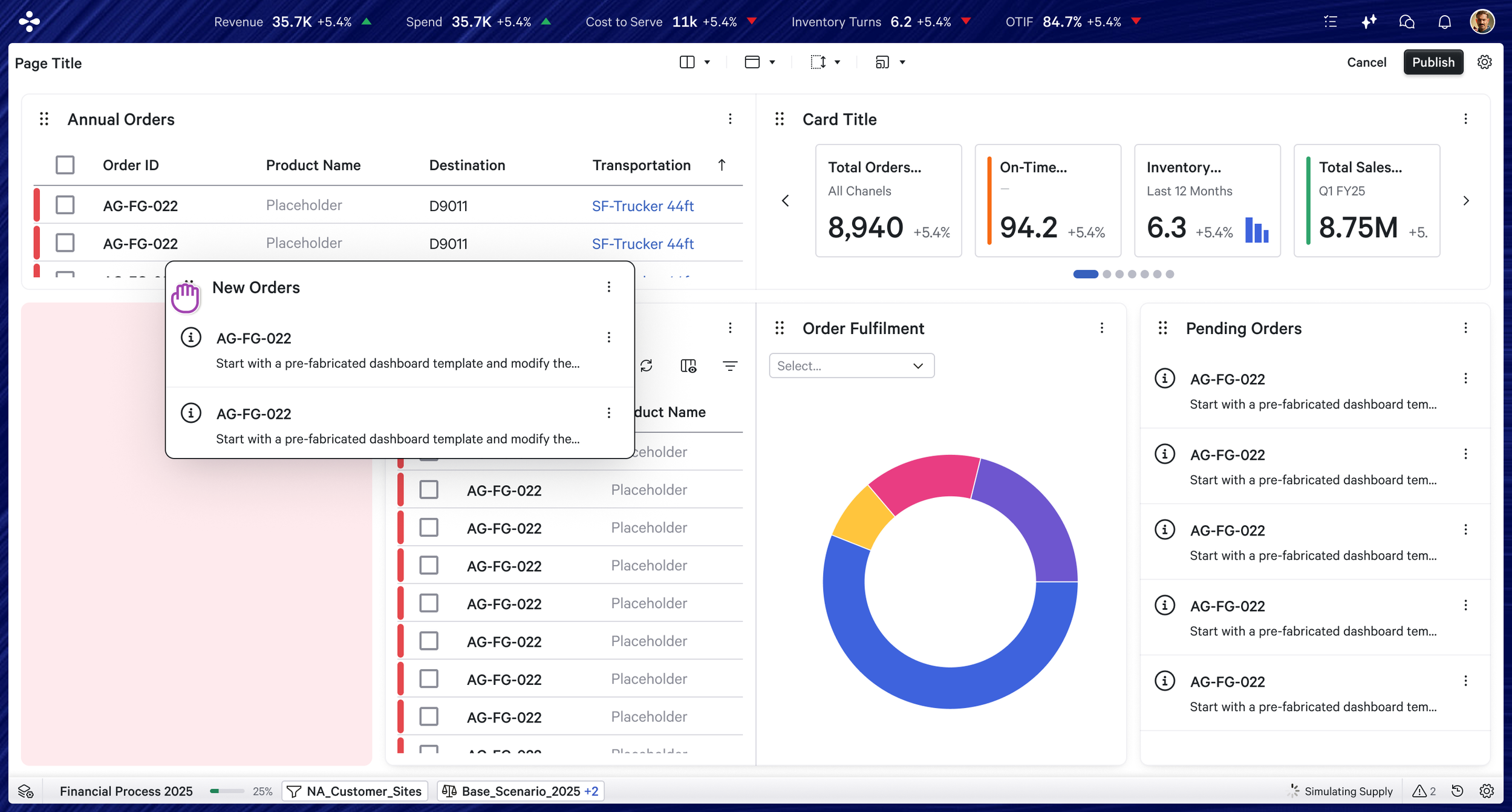
UX lead on the product for four years — two years supporting the older version, two years driving the transformation.
The work spanned requirements gathering across 15+ Blue Yonder application teams,
UX roadmap ownership in close collaboration with PMs and senior leadership,
north star visioning and hands-on design of features
Regular quality checks (usability testing, bug bashes, sales and pre-sales feedback sessions, and Pendo analytics) and audits were also part of the ongoing responsibility.
My Role
Full time UX lead (myself) + 1 part time UX contributor (intern/ externals)
2 scrum teams of 16 developers + 2 architects
1 Product Manager
Team
Page Builder serves three distinct user segments
User Segments
Internal stakeholders
Pre-sales teams, solution architects, and technical teams who build pages during the product implementation phase, tailoring application workflows to end customer needs quickly and without engineering overhead.
End users (customers)
Admins and day-to-day application users who personalize or customize pages within their applications as part of their regular workflow.
The AI agent
With the BYO Orchestrator integration underway, the agent is being trained to generate pages dynamically on behalf of users inside the agentic experience, effectively making Page Builder an invisible engine behind AI-driven page creation.
The goals weren't just cosmetic. The product needed to:
Serve any page type across any use case, not just dashboards
Give offering teams enough flexibility to implement customized solutions without waiting on the core team
Raise the baseline quality of pages built by non-designer team members, reducing internal QA overhead
Modernize to the new design system
Start laying groundwork for AI-generated pages through the BYO agent
What the transformation was solving for
The hardest constraint throughout was business ROI. UX improvements don't always win priority against feature releases, so a significant part of the role was advocacy — making the case to leadership for why foundational UX work was worth the investment.
What we shipped
Quick end to end flow of page builder experience
Visions, Short term goals, iterations…
Before any feature work could be prioritized, the team needed alignment on where the product was heading. Multiple versions of the north star vision were created and iterated on with PMs, architects, and senior leadership. This wasn't a one-time exercise — the vision was revisited and refined as the product grew and new use cases emerged from offering teams. Having a documented north star meant that individual feature decisions could always be evaluated against a bigger picture, keeping the roadmap coherent even as the backlog grew.
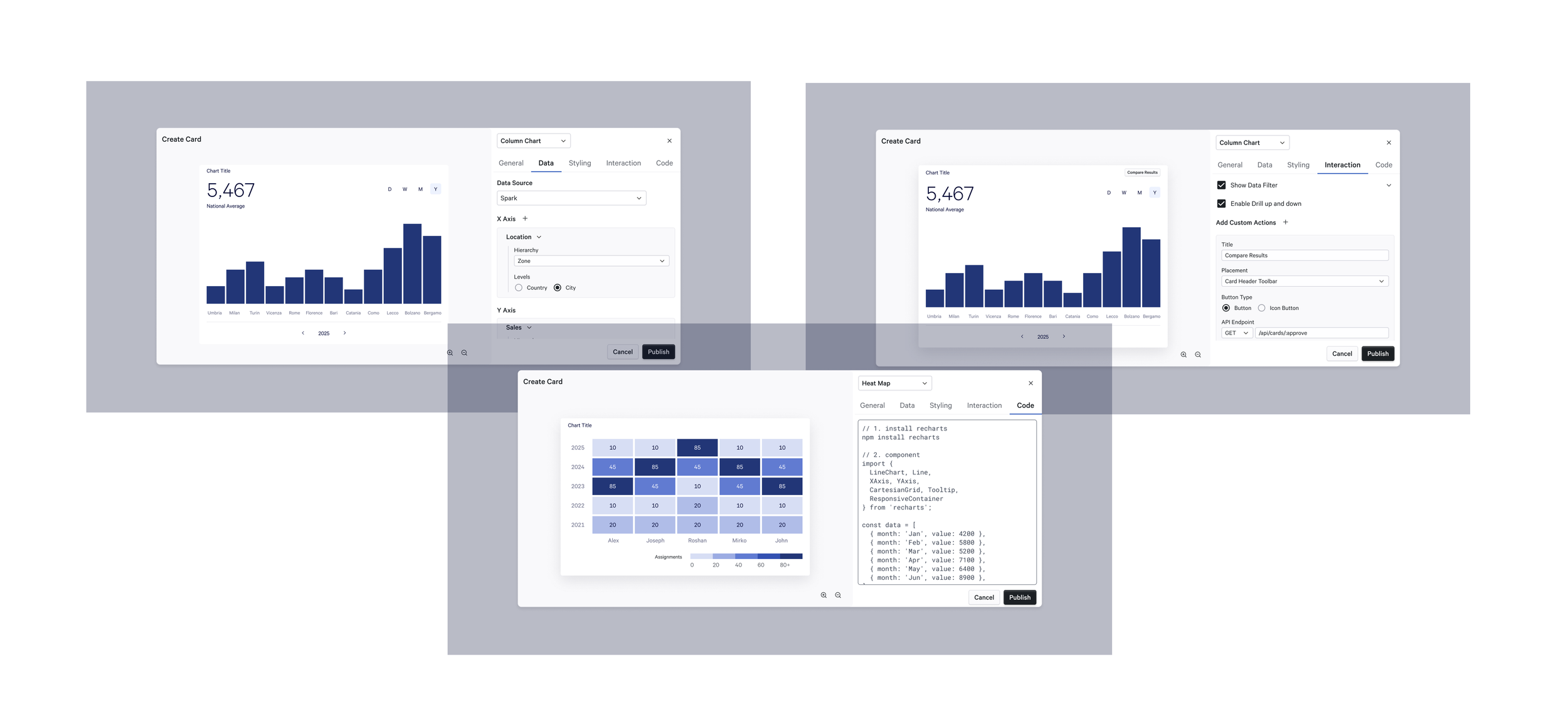
Card Configuration Experience
How to unify the card configuration experience and unblock the delivery pipeline of our platform team to release new card components for fast growing application team requests.
Key challenge:
Different application teams used different data sources for their pages. Hence the entire architecture & flow of configuring cards were different on the same page builder tool, frequently leading to more confusion amongst stakeholders and was flagged as inconsistent experience.
What was explored:
The idea of data mart, which unified all the data sources and create one common pool of dimensions, measures and attributes, which can help us have 1 common configuration experience for all card types for different application teams. Along with that we also explored how teams can quickly inject their custom card components in the card ecosystem.
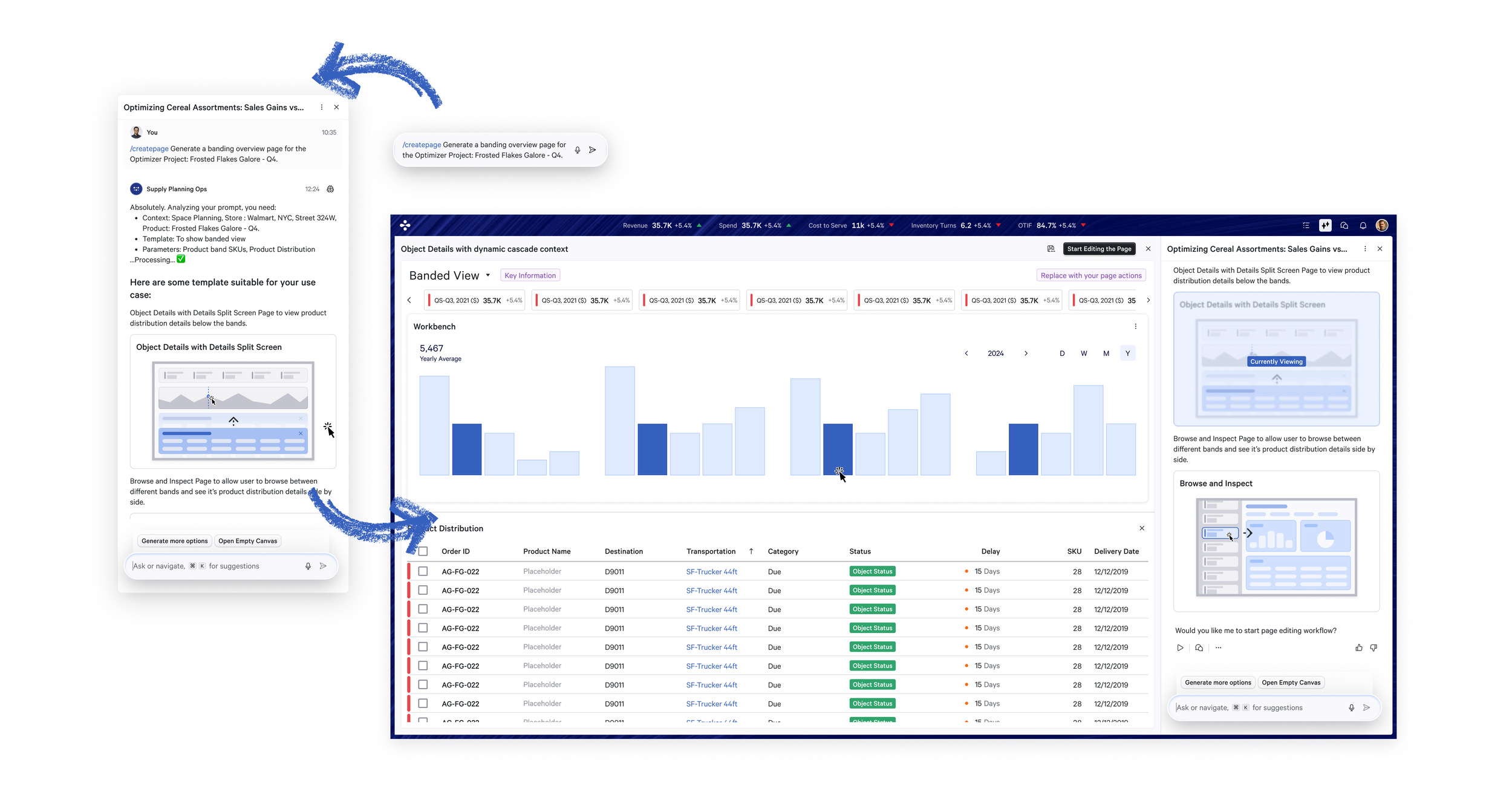
How to help user to choose the right template of pages based on their business needs and quickly build a good quality page with all configurations done through an agent.
Key challenge:
Traditional method of using wizard patterns to allow user to select a template and build it from scratch is outdated when our Agents can help the user automate these steps.
What was explored:
Generated guidelines for various page templates based on business cases and fed to the agent to start suggesting the user with the appropriate template and configurations. Though conversation UX inside our BY Orchestrator tool, user can quickly preview the different page templates, ask agent to modify some things and directly publish it. This way we dont invest more on our traditional Page Builder tool but leverage on our BY Orchestrator by building it’s page building skills.
Building Pages through our Agent
How to improve the experience of the end user who is designing the page for their business, to make it faster, smoother, intuituve and satifying by making the end result look aesthetically good following all UX best practices.
Key challenge:
Customers want something very open and an atomic building blocks application. However since our audience are not professional designers, the end result of the page can be haphazard, ruining the quality gates of Blue Yonder’s application.
What was explored:
Maintaining the building blocks flexibility, how can we create pre-built molecular assets like Page filters, Page Meta data, Summary Data visuals, repository access list that will be recommended to the user only in the right context and not everywhere.
Page Layouting Experience

Improving the overall Design time experience
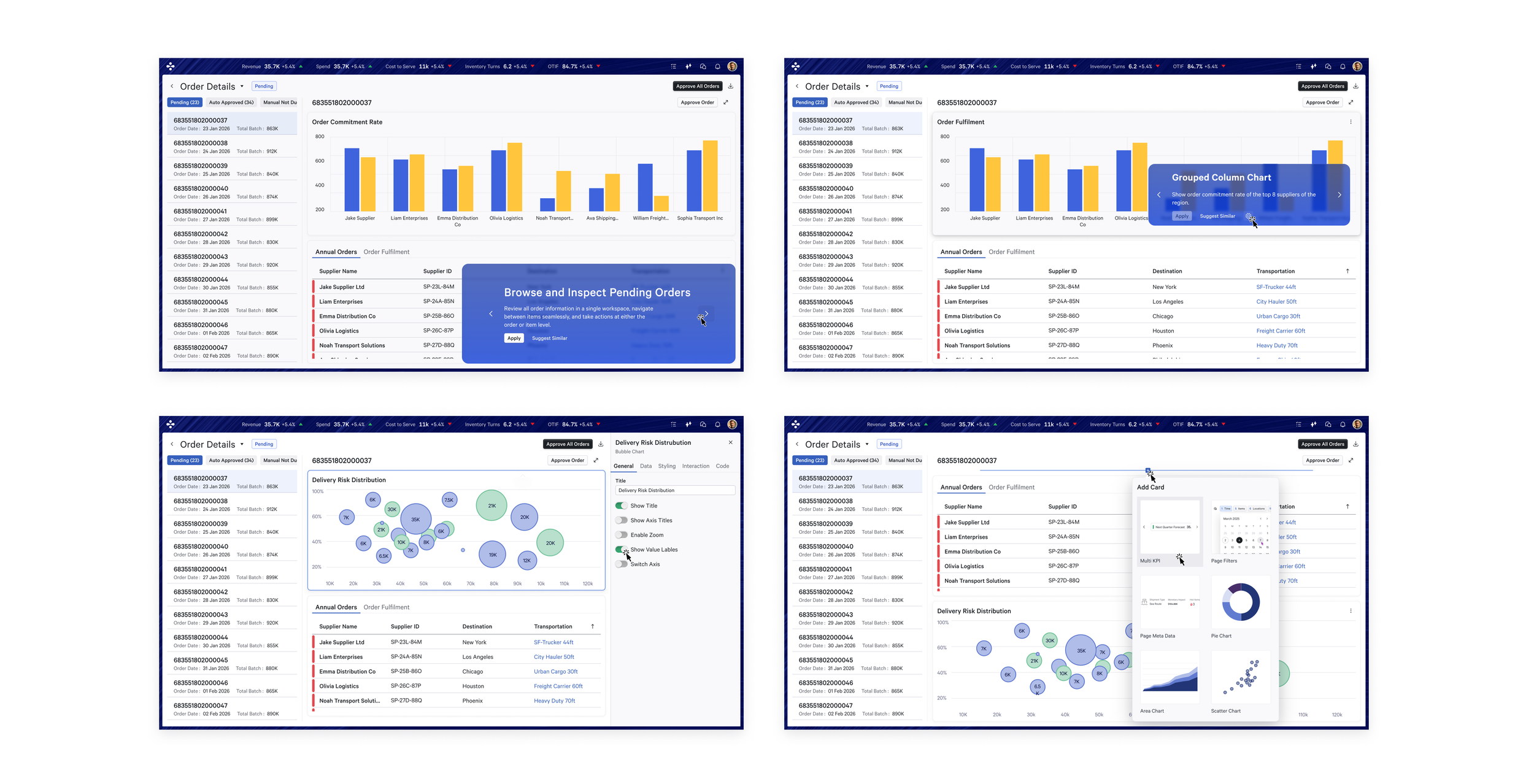
Merging all the above idea, we wanted to make our product pro-active, allowing user to start designing from a base suggestion that is already very polished. Allow users to browse through cards with very simply interaction, quick the details and quickly add elements on the go.
The complexity of serving 15+ teams
Offering teams had contradicting requirements. What worked as a solution for one team created a problem for another. Rather than forcing a one-size-fits-all answer, the approach was to design flexible, configurable solutions that teams could adapt to their context without forking the product.
Where the architecture made ideal UX too expensive to implement, the 80-20 rule guided the tradeoffs — finding alternate solutions with low engineering effort and high user impact, rather than holding out for the perfect answer.
Our Transformation Journey
To have a better UX impact, we had to sit with technical architects to improve the way core card settings, it’s instances, roles and permissions can be reorganised to have a better UX flow.
Relooked into the architecture
Problem:
A card creator can only edit and add new cards by navigating to a page and editing it.
UX Solution:
Since the entire flow was flawed and created confusion in navigation, and to cater to our user’s needs to make their tasks faster, we proposed to have a centralised card builder tool (so users can simply focus on mass deployment of cards).
The Page creator then goes in the page’s design time experience and can easily add these cards, and navigate between the golden copy and the card instance’s settings smoothly.
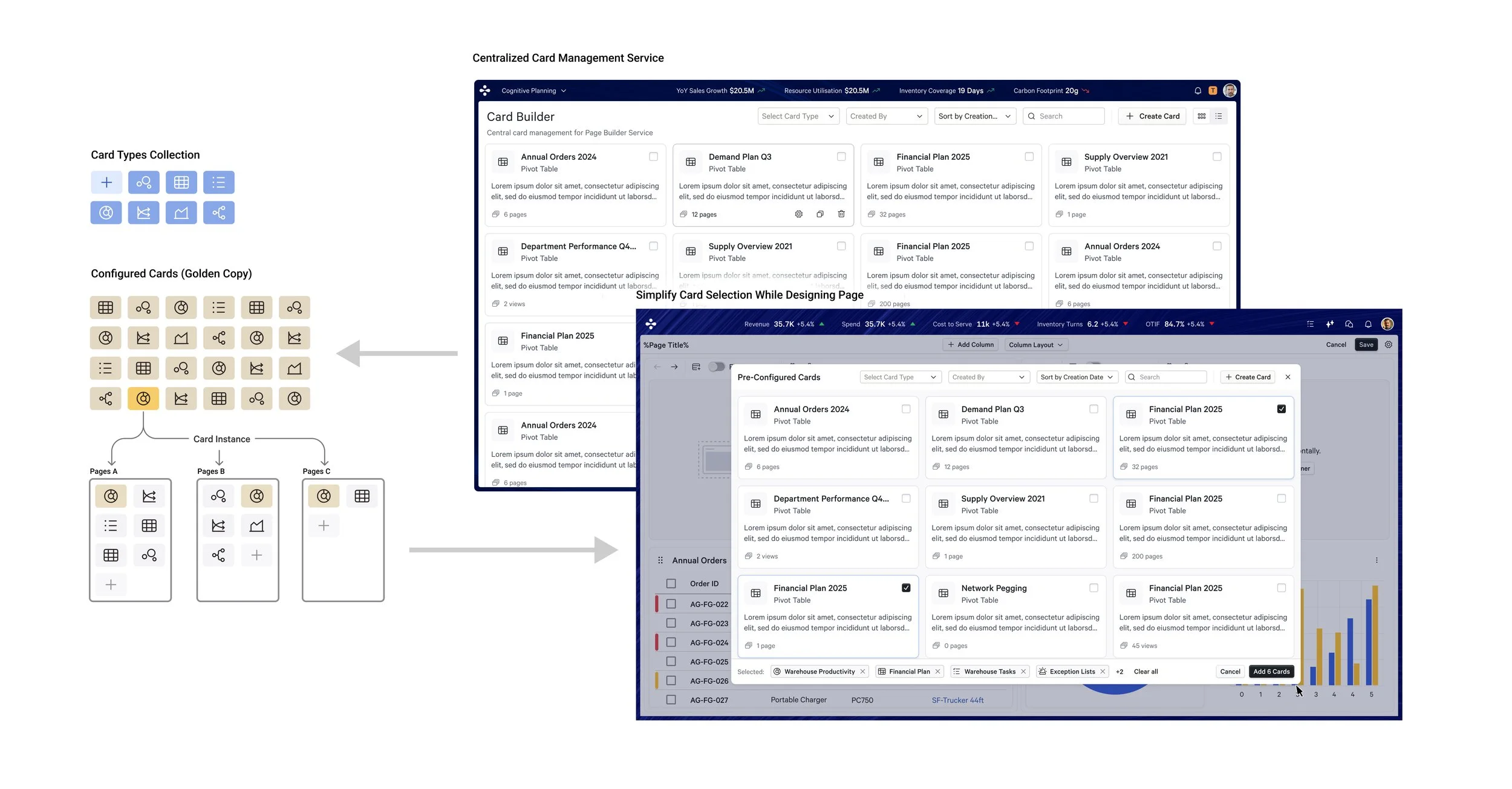
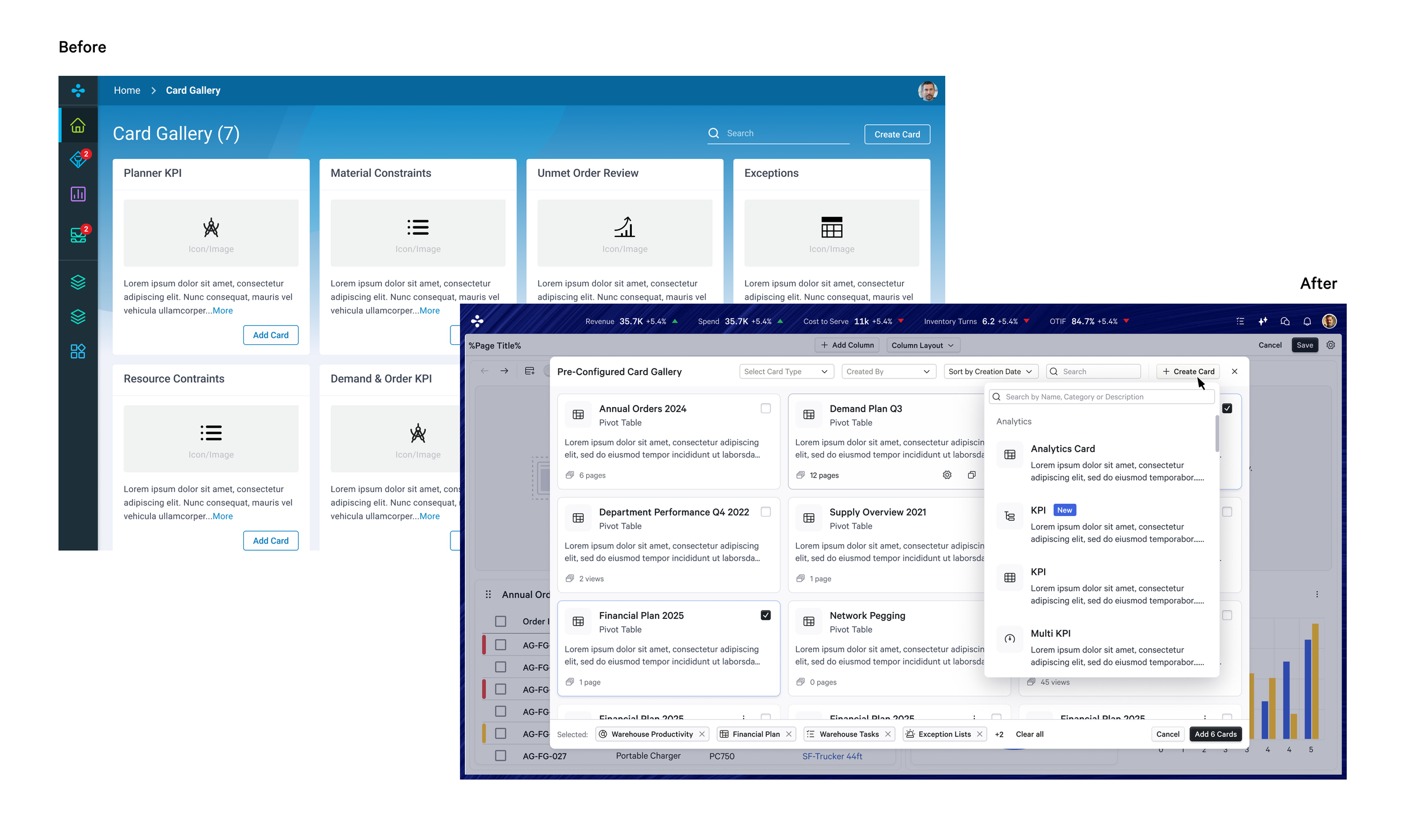
Instead of making the user access card gallery one at a time to add cards, we introduced modal library which acts like a quick access to add multiple cards on the page at a go, see which card are used and have advanced filters.
Enhanced Card Gallery
which included the design of each component, set of features making sure we enable offer team’s request and it’s configuration set up.
Maintained 15+ card widgets
-
![]()
Table Specification Snippet
-
![]()
Bullet Chart and KPI Specification Snippet
-
![]()
Chart Specification Snippet


Migrated from React Grid Library to a custom auto-layout template system supporting row and column structures, improving responsiveness and time and effort in laying
out the cards.
Updated Page Grid
Page Layout Experience
Before
After
Page Responsiveness
Before
After

Introduced Columns in the row layout to create different templates like master-detail, comparison & drill through templates. Where columns can have their own titles, scroll bar and take context of cards in other columns
Scaling the Layout
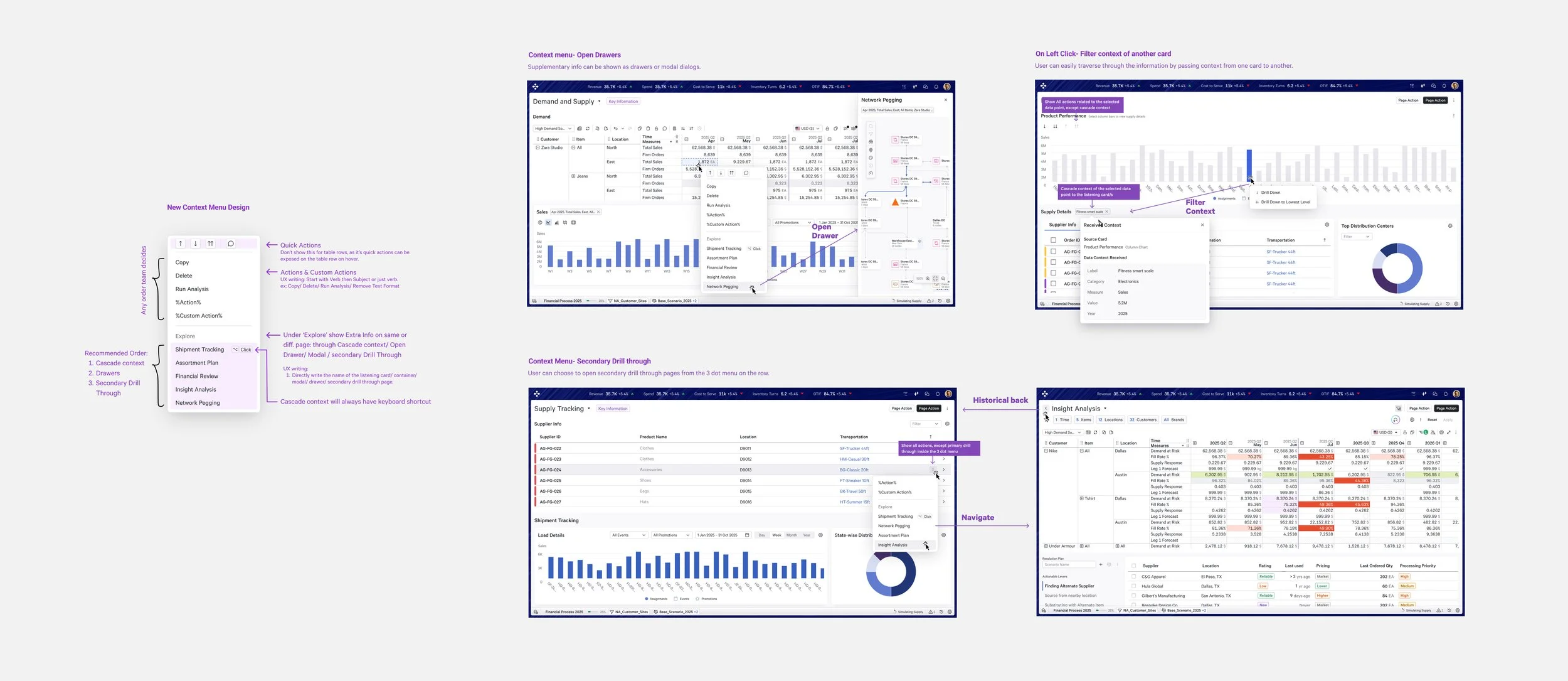
Designed and audited a full suite of in-page interactions including card-to-card filtering, drill-through, context menu, drill up/down, and contextual info patterns.
Unified Page Interaction Patterns
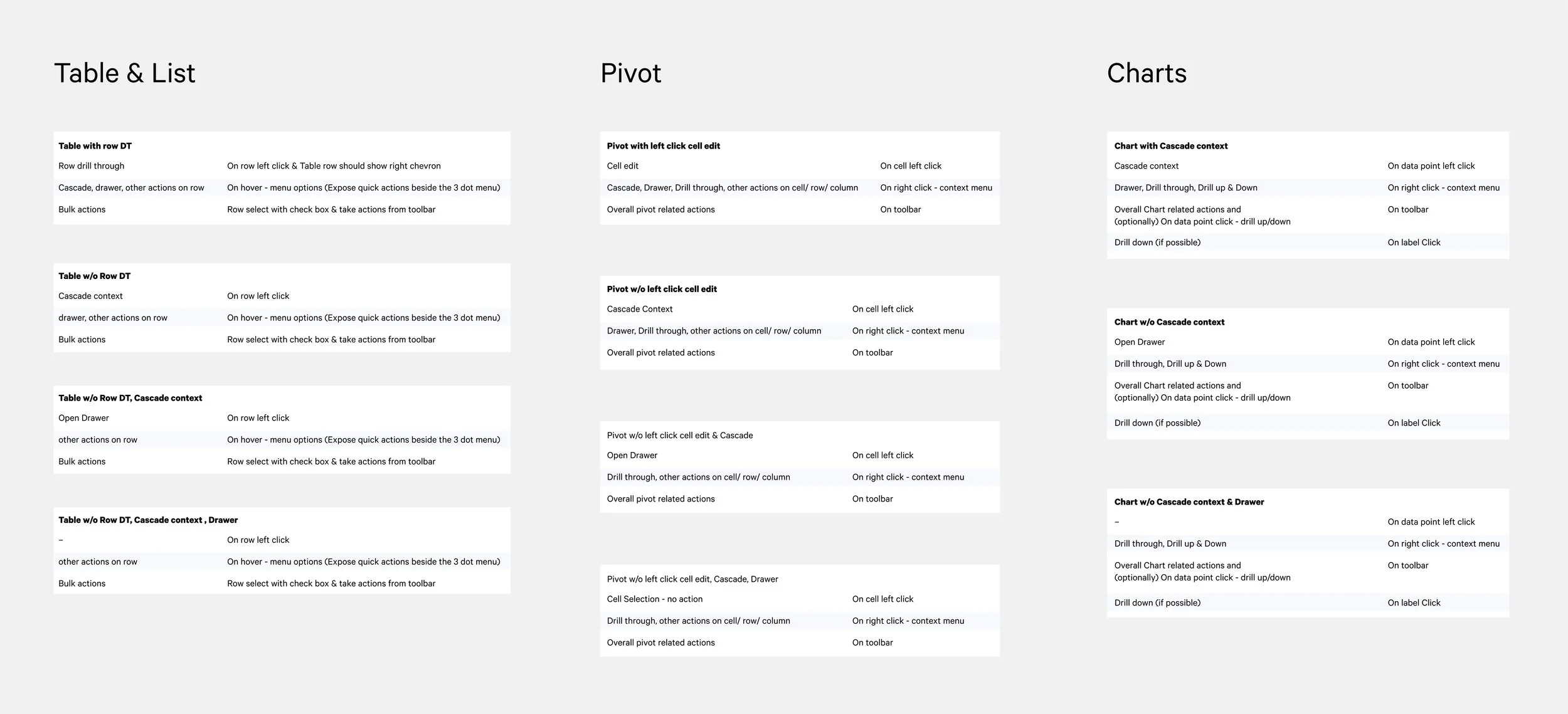
A new interaction model propagated to internal teams to ensure harmonious behavior of drawers implemented across the different teams within
Blue Yonder Portal.
End-to-end drawer framework

To help our users and agent generate good-quality pages directly from their use cases, and receive out-of-the-box page responsiveness behaviour, interactions pre-configured.
This way we make sure a consistent yet new template of pages be deployed in Blue Yonder apps.
Templatized Page Creation Flow
Adopted by Cognitive Planning as the primary framework for building and managing pages across their application.
Currently working on increasing the adoption rate by easy methods of injecting custom card components.
Leveraged by the BYO agentic team to dynamically generate cards and pages inside AI flows, making Page Builder a foundational layer of the orchestrator experience.
Significantly reduced time to deploy pages by 60% for application teams and pre-sales teams.
UX quality of pages built by non-technical teams — pre-sales, solution architects — has improved substantially, reducing dependency on design and engineering for page delivery.